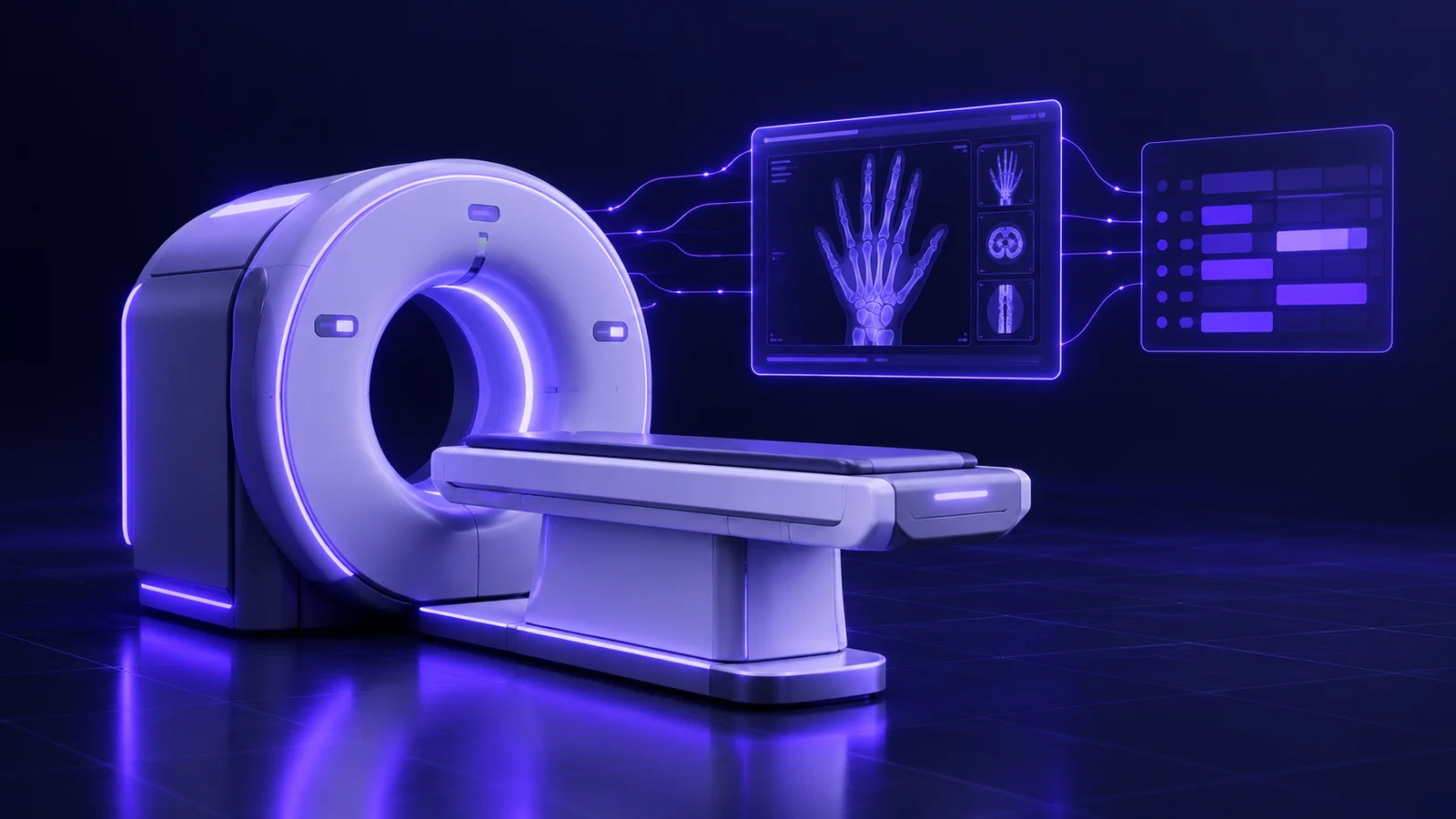
Ten in the morning at a radiology center in Dokki. This is a fictional scenario, but imaging center owners across Cairo will recognize every detail. The waiting room is full: a woman booked for a mammogram, a man referred by an orthopedic surgeon for a knee MRI, a child with his father for a chest X-ray, and an older lady who came for a contrast CT without anyone sending her the center's preparation instructions, so her study has to be moved to another day. The receptionist writes each patient's details in a notebook, the technologist types them again on the scanner console, and the patient's name ends up spelled one way on the images and another way on the receipt.
Upstairs, a radiologist works with the images on one screen and a blank Word document on the other, typing every report from scratch and emailing it to a secretary for printing. A patient has called three times to ask whether his report is ready, a referring doctor wants his patient's images on WhatsApp, and a corporate contract representative is asking about last month's claim. Next door, the MRI has been down since the morning, and nobody has moved its appointments, because the schedule lives in a notebook and the breakdown is known only to the technologist on shift.
At the end of the day the manager tries to work out how many studies each machine performed and how many reports are overdue, and finds the answer scattered between the notebook, a spreadsheet and the secretary's phone. The problem is not the team. A radiology center runs on a long chain of machines, people and very large files that no notebook or WhatsApp group was designed to carry.
This guide explains the radiology center management system in detail: what it is, RIS vs PACS in plain language, the modules an imaging center needs, integrations, privacy, ready-made versus custom, what drives the cost and the first ninety days. For the wider picture of healthcare systems across specialties, start with our guide to the clinic management system in Egypt. At Jad Digital (جاد للتطوير الرقمي), a Cairo software house building custom business systems for medical centers and companies since 2019 for clients in Egypt and Saudi Arabia, we will also tell you honestly when a ready-made product is the smarter choice.
The short answer
A radiology center management system is software that connects the whole operation of an imaging center into one flow: booking the study on the right machine, sending the patient's data to that machine, storing the images, writing and signing the report, delivering the result, and handling billing, contracts and management reporting.
- A radiology center system usually has two parts: a RIS (Radiology Information System) that manages patients, appointments, reports and billing, and a PACS (Picture Archiving and Communication System) that receives, stores and displays medical images.
- A DICOM modality worklist lets an X-ray, CT or MRI machine receive the patient's name, ID and ordered study directly from the system, so the technologist does not retype them on the console.
- Report templates for each study type, combined with two-step sign-off, shorten reporting time and prevent an unreviewed report from leaving the center.
- Delivering results through a secure online link or a QR code saves patients and referring doctors a trip back to the center, while CDs and USB drives remain a legacy fallback.
- A radiology center management system organizes operations only: it does not read images or suggest a diagnosis, and the medical decision stays with the radiologist.
- Ready-made RIS PACS software usually fits a small center with one or two machines, while a custom system fits better with several modalities, branches, corporate contracts and many referring doctors.
Symptoms your radiology center has outgrown paper, Excel and WhatsApp
An imaging center needs a proper system when specific symptoms appear, and they usually appear together:
- The same data is typed two or three times. Reception, the technologist and the secretary each retype the patient's details, and every retyping is a chance to get the name, age or study wrong.
- The schedule does not know the machines. Two bookings at once on the MRI, a contrast study in a room not set up for it, or a scanner that is down while its appointments stay on the list.
- Reporting is the bottleneck. Images have been ready since the morning, and nobody can say how many reports are waiting or with which radiologist.
- "Is my report ready?" eats the front desk's day. Patients call, referring doctors message on WhatsApp, and every answer needs a manual search.
- Images go out on CDs and get lost. The patient wants a new disc, and the archive sits on one workstation that only one person knows how to search.
- Contract claims have no follow-up. Studies done under corporate or insurance approvals are gathered by hand at month end, and some are never claimed or get rejected for a missing document.
- Nobody knows how much contrast is left. Shortages of contrast media or key consumables are discovered on the day they are needed.
What makes a radiology center different from any clinic
A radiology center is different because its unit of work is not a consultation but a study performed on a machine, and its end product is not a prescription but images plus a signed report. That forces any system to handle four things:
- The machine is the core resource: X-ray, ultrasound, CT, MRI, mammography and dental panoramic X-ray each have their own room, technologist and study duration, so booking is by modality and room, not only by doctor.
- Huge files: a single CT or MRI study can contain hundreds of images, and storing, viewing and retrieving them needs a different architecture from uploading a PDF.
- A split between who scans and who reports: the technologist acquires the images, while the radiologist may report from another floor, branch or time, and nothing should get lost between the two steps.
- An outside party in almost every case: the referring doctor waiting for the result, and the company or insurer covering part of the bill.
RIS vs PACS in plain words
A RIS is the center's digital logbook: it knows the patient, appointment, ordered study, machine, referring doctor, report and invoice. A PACS is the smart image archive: it receives images from the machines, stores them and displays them to the radiologist and anyone with permission. The RIS manages people and work; the PACS manages pictures.
In many centers the two live separately, or one does not exist at all. A good radiology center management system links them so each study has one accession number tying together its data, images and report, and the radiologist opens both from the same screen. This is why generic clinic software fails in imaging centers: it knows the patient and the invoice, but nothing about modalities, worklists or images.
Message us on WhatsApp or book a free consultation — we answer plainly, with no obligation.
Radiology center management system modules, one by one
These are the modules a serious radiology center system is built on. You do not need all of them on day one, but the design must be ready for them.
Booking by modality and room, with preparation instructions
Booking starts from the study. The receptionist selects "MRI knee" or "contrast CT abdomen", and the system shows the machines and rooms that can perform it, its usual duration and the slots actually free. Each machine has working hours and maintenance days, and each study has a booking length set by the center, so two long studies never share a slot.
On confirmation, the system sends the patient the date, address and the preparation instructions for that study exactly as the center's medical team wrote them, such as which previous reports to bring and how early to arrive. The software does not author these instructions; it stores the approved text per study type and sends it automatically, so patients stop arriving unprepared. We cover online booking, no-shows and reminders in our guide to the clinic appointment booking system in Egypt.
Check-in, referrals and consent forms
At arrival, reception confirms the patient's details, records the referring doctor and attaches the referral letter or company approval if there is one. The patient then signs the forms the center requires for that study, such as a contrast consent or a pre-MRI questionnaire, on a tablet or on paper that is scanned into the record.
Every patient leaves reception with a complete digital order, and the case appears on the room's screen as "arrived and waiting".
The modality worklist (DICOM worklist)
This is the most important module for saving time and preventing errors. Instead of the technologist typing the patient's name, ID and study on the scanner, the machine receives this data from the system through the DICOM Modality Worklist service. DICOM is the common standard for exchanging medical images and related data between devices. The technologist opens the worklist on the console, picks the patient in front of them and starts scanning.
Images then leave the machine carrying exactly the data entered at reception, attached to the correct accession number. Older machines without worklist support have workarounds such as barcode entry or a gateway, and this must be settled machine by machine, by model, before you sign anything.
PACS integration, image viewer and archiving
After acquisition, the machine sends the images to the PACS and the system marks the study "scanned, awaiting report". The center needs three things here: a viewer that opens the full study for the radiologist with the usual display tools, storage large enough for years of images, and fast search by patient name, ID or date.
Archiving is normally tiered: recent studies on fast storage, older studies on long-term storage, and a backup copy elsewhere, whether on-premise, in the cloud or a mix. How long images and reports must be retained depends on the center's policy and on regulation, so confirm current requirements with the official authority.
Radiologist reporting with templates and two-step sign-off
The radiologist's screen is a second worklist: scanned studies not yet reported, sorted by priority, with the patient's previous studies and reports alongside. Opening a study shows the images and the report field together.
Templates save a great deal of time. For each study type there is a text template prepared by the center's own radiologists, with the usual headings and recurring phrasing, which the radiologist completes and edits. The system does not read images or suggest findings; the template is only a writing frame.
Two-step sign-off means no report leaves without review. One radiologist may draft and a consultant approve, or a typist may transcribe a dictation that the radiologist then reviews and signs electronically. The system records who wrote, who approved and when, blocks printing or sending of unsigned reports, and stores any later change as an addendum without erasing the original.
Delivering reports and images to patients and doctors
Once a report is signed, the system can send the patient a secure link by WhatsApp or SMS that opens the report and images in a browser, or print a QR code on the receipt. The link is protected by a code or the patient's date of birth and expires after a period the center sets.
This ends the stream of calls asking about results. CDs and USB drives remain a fallback for those who ask, burned from the archive with one click. If the imaging center belongs to a group with clinics, the signed report reaches the patient's electronic medical record without copying.
A portal for referring doctors
Referring doctors bring a large share of any imaging center's patients, and their convenience affects whether they keep referring. A portal gives each doctor an account showing only the patients they referred: study status (booked, scanned, report ready), the signed report and a link to the images.
Doctors can also send an electronic study request instead of a handwritten slip, and the center can see how many referrals come from each doctor and for which studies.
Contracts with companies and insurers
Many imaging centers in Egypt work with companies, syndicates and insurers, each with its own price list, covered studies, prior approvals and patient share. The system needs multiple price lists, a link between each study and its payer and approval number, and an invoice split between the patient's and the payer's share.
At period end it produces a claim statement per payer with the studies and documents, and tracks its status: sent, accepted, partly rejected with the reason, collected. Studies are no longer left unclaimed.
Contrast and consumables inventory, device utilization and downtime
Contrast media, syringes, films and discs are a real cost, and some have batch numbers and expiry dates. The system links each study type to the consumables it normally uses, deducts them when the study is recorded, alerts you before minimum levels and records the batch in the study file.
Machines get their own log: studies per machine by day and hour, utilization against working hours, and breakdowns and maintenance. When a breakdown is logged, the system shows the affected appointments so reception can move them or warn patients before they travel. Over time the manager sees which machine runs over capacity and which sits idle.
Cashier, branches and owner reports
The system closes each day's cash split by payment method, machine and branch. With several branches, each has its own machines, stock and cash desk, while the patient record is shared, so a patient can scan in one branch and collect results in another.
The owner needs a short set of weekly reports:
- Studies per machine and study type, with machine utilization.
- Turnaround time from arrival to signed report, and overdue reports per radiologist.
- Referrals by doctor and by contract payer.
- Claims sent, accepted and rejected.
- Contrast and consumables usage against study volume.
- Radiologist fees according to the rule agreed with each one.
Integrating a radiology center system with accounting, e-invoicing and messaging
A radiology center system does not work alone; it needs at least four kinds of integration.
- Accounting: revenue, claims, expenses and supplier accounts must reach your books, through an accounting module, an integration with your accountant's software, or a structured export. We discuss that choice in ready-made accounting software vs a custom system.
- E-invoices and e-receipts: if your activity must issue them, the system generates the document with the required fields, submits it to the Egyptian Tax Authority platform through the approved integration, and stores the acceptance ID or rejection reason. See connecting your system to ETA e-invoicing in Egypt, and confirm current requirements with the official authority or your accountant.
- Machines and other systems: worklist and image transfer over DICOM, and sometimes exchanging orders and reports with a hospital or clinic system over HL7 or an API.
- WhatsApp, SMS and payments: confirmations, preparation instructions and result links go out from the center's official number through a business messaging service with approved templates and the patient's consent, not from a staff phone. Online payment can be connected for deposits or study fees.
Patient image privacy, permissions and audit
Radiology images and reports are sensitive health data, and some can identify the patient. Protection has to be built in from the start:
These are technical mechanisms. For current legal requirements on personal and health data in Egypt, consult a specialized lawyer and confirm current requirements with the official authority before launch.
- Role-based access: reception sees appointments and payments, the technologist sees their machine's worklist, the radiologist sees assigned studies, a referring doctor sees only their own patients, and the accountant sees numbers without images.
- Audit log: who opened which study, who edited a signed report, who sent a link or burned a disc, and when.
- Protected, expiring links instead of images sent as files to personal phones.
- Automatic backups of the archive and database in a separate location, tested by actually restoring them.
- Known hosting location: the owner knows where images are stored and how the complete data will be handed over if you change vendors.
Ready-made RIS PACS or a custom radiology center system?
The honest answer: not every radiology center needs a custom system, and sometimes ready-made is the smarter decision. We discuss the general logic in custom ERP vs off-the-shelf.
When ready-made software is enough
Here the smart move is a ready-made cloud product, run well.
- A small center with one or two modalities, such as X-ray and ultrasound, and one branch.
- A limited number of referring doctors and contracts.
- Machines the product already supports for worklist and archiving.
- No need for a doctor portal, special reports or integration with another system.
When a custom system is worth it
- A multi-modality center (CT, MRI, mammography) or a multi-branch group with remote reporting.
- Many contracts with different price lists, approvals and claim rules.
- A referring-doctor network you want to serve through a portal under your own name.
- An imaging center inside a group with clinics or a lab that needs one patient record, as in our medical center management system in Egypt guide.
- Special rules for radiologist fees or management reports.
The middle path
Many centers keep their existing PACS because it works well with their machines, and build a custom RIS around it for booking, reporting, contracts, the portal and reports. This works as long as the archive supports integration through the common standards; otherwise the pieces become disconnected islands. This layer can be built through our ERP and business systems service.
What determines the cost of a radiology center management system?
The cost of a radiology center system is not a fixed number; it is set by factors you can list in one meeting:
Bring this information to a free consultation to get an estimate based on your own center.
- Number, types and models of machines: each needs worklist and image-transfer testing, and older ones may need a gateway.
- New PACS or integration with an existing one: building or licensing an archive differs greatly from connecting to a working one.
- Image volume and retention period: CT and MRI files are very large, and retention defines storage size and type.
- Branches and remote reporting: moving images between sites needs more careful network and storage design.
- Contracts and insurance: the number of payers and the complexity of price lists, approvals and claims.
- Doctor portal and patient app: extra interfaces with their own design and permissions.
- Integration with accounting, e-invoicing and any existing hospital or clinic system.
- Data migration, hosting and support: moving years of archive differs from starting today, and on-premise differs from cloud.
Your first 30, 60 and 90 days after deciding
A good rollout in a radiology center happens in stages, so daily work never stops.
First 30 days
- Map the full study journey with reception, technologists and a radiologist, from booking to delivery.
- Collect the studies per machine, their durations and the approved preparation text for each.
- List machine models and the current archive, and test the worklist on one machine first.
- Launch booking, check-in and the cash desk, and train reception.
Days 31 to 60
- Roll the worklist out to the remaining machines, connect the archive and turn on the radiologist screen.
- Approve report templates with the radiologists and switch on two-step sign-off.
- Start sending result links and measure how far front-desk calls drop.
Days 61 to 90
- Turn on contracts and claims, inventory and the machine log.
- Open the referring-doctor portal to a small group first, then widen it.
- Review owner reports weekly and collect team feedback for an improvement round.
Checklist to prepare before your first meeting with any software company
The more you prepare, the closer the quote will be to reality. For more, see how to write a software project brief.
- Machines by type, model and year, and which support a worklist.
- Your current archive, if any, how it is accessed and the approximate image volume.
- Studies per machine and their durations.
- The preparation instructions and consent forms you use today.
- Number of radiologists, on-site or remote reporting, and today's approval process.
- A sample report for each main study type, with patient data removed.
- Contract payers and insurers, and how you claim from them today.
- How results are delivered today and what you want instead.
- Number of branches, and whether patients scan in one and collect in another.
How Jad Digital builds radiology center systems
We start with a discovery session with the manager, reception, a technologist and a radiologist, following one study from booking to delivery. Then we decide what to build first and what a ready-made product or your existing archive already covers.
We test integration with your machines by model before promising anything, deliver in short phases with Arabic and English interfaces, design report templates with your radiologists, and stay on for support after launch. If you want patients to book and collect results from an app under your name, we build a mobile app on the same system. If you also run a lab, read our guide to the medical lab management system in Egypt, since much of the logic is shared. For the full picture, return to the clinic management system guide.
If you run a radiology center and the notebook, CDs and WhatsApp are no longer enough, book a free consultation. We will listen, then tell you honestly whether ready-made is enough or a custom system will pay off.
Frequently Asked Questions
What is a radiology center management system?
+
A radiology center management system is software that runs an imaging center in one flow: booking by machine, check-in, sending patient data to the scanner, storing images, writing and signing reports, delivering results, contracts, inventory and billing. It organizes the work only; reading images and medical decisions stay with the radiologist.
What is the difference between RIS and PACS?
+
A RIS manages patients, appointments, reports and invoices, while a PACS receives images from the machines, stores them and displays them. A radiology center needs both connected, so each study has one accession number linking its data, images and report.
What is the best radiology software for an imaging center in Egypt?
+
The best radiology software is the one that fits your machines, size and workflow, not the most famous name. A small center is usually well served by a ready-made cloud product, while a multi-modality, multi-branch center with many contracts benefits more from a custom system. Always ask for a test on your own machines, by model, before signing.
Can my existing X-ray, CT or MRI machines connect to the system?
+
In most cases yes, because most modern imaging machines support DICOM for receiving a modality worklist and sending images. Older machines may need barcode entry or a gateway. List every machine by model and test one before rolling out.
How can patients receive their radiology report and images online?
+
Once the report is signed, the system sends a secure link by WhatsApp or SMS, or prints a QR code on the receipt, which opens the report and images on the patient's phone. The link is protected and expires after a set period, and a CD or USB copy remains available on request.
How much does a radiology center management system cost in Egypt?
+
There is no fixed cost: it depends on the number and models of machines, a new PACS or integration with an existing one, storage volume, branches, contracts, a doctor portal and accounting integration. Book a free consultation with Jad Digital for an estimate based on your own center.
How long does it take to implement a system in a radiology center?
+
It depends on machines, branches and modules. The usual sequence is booking, check-in and cash desk first, then worklist, archive and reporting, then contracts, inventory and the portal, over several weeks. We set the timeline after the discovery session.
Does radiology center software write reports or read images automatically?
+
No. An operational radiology system does not read images or suggest a diagnosis. It provides templates prepared by the center's radiologists and manages sign-off and delivery, while the report remains the radiologist's responsibility.