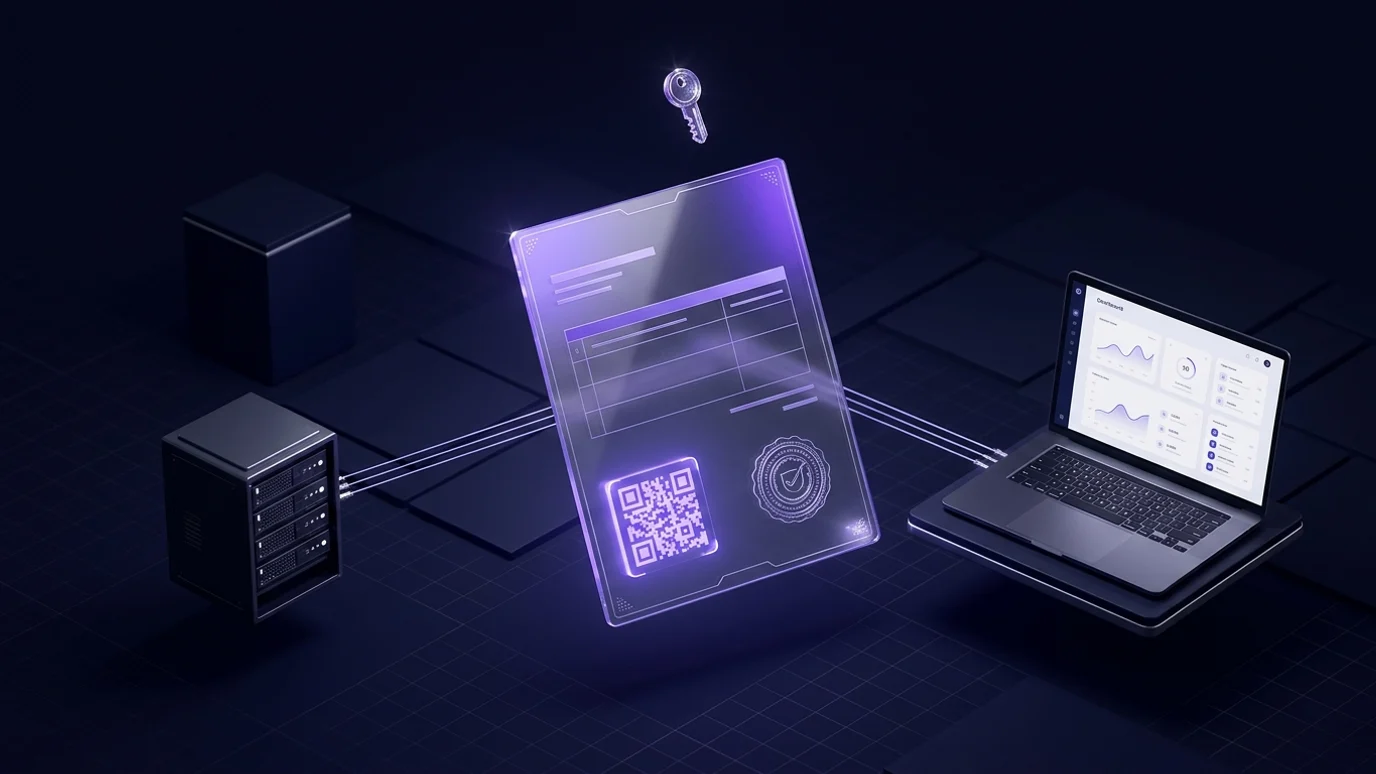
"How do I connect my system to the e-invoicing platform?" is a question we hear weekly from finance and IT managers in Cairo, Alexandria and Tenth of Ramadan — usually right after discovering that the accounting program they have run for years knows nothing about the Egyptian Tax Authority. A clerk prints the invoice, retypes it on the ETA portal, and two days later half the documents are rejected over a wrong item code or a one-piastre rounding difference.
This guide covers Egypt's e-invoice and e-receipt systems practically: the difference between them, how integration works from your system to the unique identifier (UUID) that comes back, your four options, where these projects really fail, and a go-live checklist. It is written for owners, finance managers and IT leads, not only developers.
At Jad Digital (جاد للتطوير الرقمي) we build custom ERP and accounting systems that integrate with the platform, and integration layers on top of existing systems for clients who would rather keep their software. One note first: the phases, obligated categories and compliance details change by decisions from the authority, so confirm your company's current status and obligations on the Egyptian Tax Authority's portal or through your tax office rather than on what a colleague told you last year.
E-invoice vs e-receipt: what the difference means for you
The authority handles two different document types, each with its own platform and technical requirements. Confusing them is a common reason companies build something that does not fit their activity.
The e-invoice: a business-to-business document
An e-invoice is a structured digital document — not a PDF or a scan — carrying seller and buyer details with their tax registration numbers, the lines with their codes, and the taxes and discounts. It is signed electronically and submitted before it counts as valid. Companies use it with other companies and with government entities, and the buyer relies on it to prove purchases and claim input tax. Plainly: your corporate customer will ask for a validated e-invoice, and without it your supply and collection cycle stalls.
The e-receipt: a document for the end consumer
The e-receipt is what a shop, restaurant, pharmacy or clinic issues to a walk-in consumer through a point-of-sale system. The logic differs: far more documents, much smaller values, submission usually in batches, and a QR code on the receipt so it can be verified. A company serving both audiences — a distributor with a retail outlet — needs both systems, not one.
What actually changes in your operation
- You can no longer issue a paper invoice and settle it later; the document becomes official the moment the platform accepts it.
- Every product and service needs a recognised code, and that alone is a data project before it is a software project.
- Corrections are no longer made with an eraser; you fix documents with a credit or debit note linked to the original.
- Your accounting system must track each document's state — submitted, accepted, rejected, cancelled — and show it to finance.
- The internal workflow changes: who approves an invoice, who may submit it, and who chases rejections.
How ETA integration works technically: from your system to the authority
Integration is not one button. It is a chain of six steps, and any weak link surfaces later as a wave of rejections.
1. The taxpayer profile and registering your system
It starts with your company account on the platform, under which you register the "ERP" that will submit documents. Registration produces credentials your system uses to obtain a short-lived access token before each submission. An early decision matters here: one system for the whole company, or one per branch or activity? That choice shapes permissions and your ability to trace errors once volumes rise.
2. Item coding: GS1 and EGS
Every line needs a code: a global GS1 code if your product is genuinely barcoded, or an internal EGS code registered and mapped to the authority's approved classification. This is the longest step in almost every project we have seen. A company with thousands of items in an old program, full of duplicates and inconsistent names, must clean its item list before coding it. Start on day one, in parallel with the technical work — otherwise the code is ready while the data is not.
3. The electronic signature: token or HSM
No document is accepted without a signature from an accredited provider. Smaller companies use a USB token tied to one machine: simple, but it locks invoicing to one device and one person, and stops when that person is on leave. Multi-branch companies, or anyone sending thousands of documents, use an HSM or a central signing service so the server signs without human intervention. If you intend to automate fully, decide this early — it changes the architecture.
4. Building and submitting the document
Your system builds the document in the required format: seller and buyer data, document and activity type, lines with codes, quantities and approved units of measure, taxes and discounts, plus currency and exchange rate for foreign-currency invoices. It is then signed and sent to the platform's API. Large multi-line invoices expose construction errors first, so test those early rather than a tidy two-line sample.
5. Validation, acceptance or rejection
Submission is not the end. The platform validates and responds: accepted, accepted with warnings, or rejected with a stated reason. An accepted document gets a unique identifier (UUID) and a public verification link. Your system must store that identifier with the invoice and surface rejections on a daily working screen for finance, not bury them in a log nobody opens.
6. Credit notes, debit notes and cancellation
Returns, later discounts and corrections all happen through documents linked to the original by its unique identifier. There is also a window in which a document can be cancelled, or rejected by the other party, after which it is final. Your design must express these rules explicitly instead of letting an employee delete an invoice that was already issued and accepted.
Your four options for connecting e-invoicing to your system
1. Manual entry on the portal
You issue from your current program and key the document into the portal by hand. No development, and workable for a very small monthly volume. But it means double entry, a chance of error on every document, and a possible mismatch between your books and the authority's records. Any growth in volume makes it cost more time than it saves.
2. Middleware on top of your current system
A layer reads approved invoices from your system's database or a structured export, converts them, signs and submits them, then writes back each document's status and identifier. This is the most common option for companies on an old or closed accounting program that cannot be modified. It does not touch the existing system or disrupt daily work; the drawback is maintaining two systems and updating the middleware whenever the specification changes.
3. A ready-made ERP with built-in integration
Some ERP and accounting products in the Egyptian market ship with a ready module. Good if your operations are standard and you are willing to change systems. The decisive questions: is the module included or a separate subscription, who updates it when the specification changes, and does it support e-receipts too or only e-invoices? We compare the two approaches in ready-made vs custom accounting software.
4. A fully custom integrated system
Building integration inside a custom system — or a custom ERP that includes it from the start — fits when operations are not standard: instalment sales, contracts and progress billing, manufacturing with work orders, or contract pricing per customer. It also fits when invoices must be generated automatically by an existing system such as your online store or branch platform. We break that decision down in custom ERP vs off-the-shelf and deliver it as part of our ERP and business systems.
How to choose between the four
Ask three questions: how many documents do you issue monthly, can your current system be modified or does it expose an API, and who owns updates when the specification changes? Those answers settle the choice in most cases, and protect you from buying a solution bigger or smaller than you need.
Where integration projects actually fail
The problem is rarely the code. These are the causes we have most often seen stall a project or trigger rejections right after go-live.
- Item codes that are not ready. Duplicates and descriptive names with no consistent coding mean repeated rejections. Cleaning and coding precede development.
- Non-standard units of measure. "Carton", "sack" and "bundle" are not standard units; every internal unit needs mapping to an approved one with a clear conversion factor.
- Rounding and tax calculation. A one-piastre gap between the sum of lines and the invoice total is a very common rejection. Calculate tax with one logic in one place, never re-implemented separately in the UI, the reports and the document.
- Incomplete buyer data. A corporate customer's tax registration details belong in the customer record, validated, not typed in a hurry at invoicing time.
- Timing and sequencing. Back-dated documents, submissions after the allowed window, or serials duplicated across branches are internal design problems, not integration problems.
- Cancelling with the old mindset. Finance teams are used to "editing the invoice" and need explicit training on credit and debit notes and on the cancellation window.
- Outages and submission queues. A serious solution queues documents, retries automatically and logs every response. Never assume the connection is up.
- Signing certificates expiring. Certificates expire, and an unnoticed expiry stops invoicing for a full working day. Set a renewal alert early and name an owner.
A checklist before go-live
Before you rely on the platform during a real working day, confirm these points:
- The taxpayer profile is active, the system registered, and credentials stored securely — not in a file on someone's desktop.
- Every product and service is coded, and every internal unit of measure mapped to an approved one.
- Customer records are complete with the tax details required for corporate clients.
- The signing certificate works, the authorised person is named, and a backup exists when they are away.
- Every document type you genuinely issue is tested: standard invoice, discounted invoice, credit note, debit note, foreign-currency invoice, and export documents if any.
- A daily screen shows rejections and reasons, with a named owner who clears them.
- A written procedure covers a dropped connection or a rejection with a customer waiting.
- Backups of submitted documents and their identifiers exist independently of the system.
- Finance and sales are trained on the new sequence, not only on the screens.
- Your obligations and the phase applying to your activity are confirmed from the authority's portal, not from old information.
Three scenarios from the Egyptian market
A Cairo trading and distribution company
A company selling to distributors and retail chains, issuing hundreds of documents a month from an old accounting program that cannot be modified. The practical answer was middleware reading approved invoices from the program's database, converting, signing and submitting them, and writing the UUID and status back to a side table shown on a simple finance screen. The largest part of the project was not the integration — it was cleaning and coding an item list that had accumulated over years.
An Alexandria factory
A factory selling wholesale under supply contracts and progress billing, where the invoice must link to the work order and to stock movement. Middleware was not enough, because the document must be generated by the workflow rather than copied into it. We built a custom ERP covering inventory, work orders and pricing with integration as a native part of it, connected to a customer management module for tracking orders and quotes — the idea we explain in what is a CRM system.
A clinic chain issuing e-receipts
A clinic chain serves consumers, not companies, so its core need is the e-receipt tied to the booking and billing system, while handling insurance cases and contract pricing that make the receipt value differ from the listed price. What the clinic system itself needs is covered in clinic management systems in Egypt. The shared lesson: integration starts with your invoicing process, not with the API.
What to ask a vendor before signing
These questions quickly separate a vendor who has built integrations from one who promises them. The broader criteria for choosing a technology partner — references, process, ownership, transparency — are covered in our pillar guide on choosing the best software company in Egypt.
- Is integration included in the price or a separately billed module, and who pays for updates when the specification changes?
- Does the solution support both e-invoices and e-receipts, or only one?
- How does it handle credit notes, debit notes, returns, and the other party rejecting a document?
- What happens when the internet drops — is there a queue, automatic retries and a response log?
- Do we own the credentials, certificates and database, or are they in the vendor's name?
- Can we export every document with its identifier if we change vendors later?
- Who supports us on month-end closing days, and what response time is committed in writing?
A note for companies operating in Egypt and Saudi Arabia
Many clients sell in both markets and expect one solution. The principle is similar — a structured document, a cryptographic signature, submission to a government platform, validation — but the details differ completely: formats, signature type, the simplified-invoice and QR logic in Saudi Arabia, and the coding and validation rules. In practice that means one system with two separate compliance layers, not a modified copy of one. We covered the Saudi side in ZATCA e-invoicing and your ERP.
How we handle integration in the projects we deliver
We start with a session over the real documents: a sample of every invoice and receipt type the company issues today, the item list exactly as it is with all its flaws, and a map of who issues, who approves and who reviews. From that we decide the right option — middleware over an existing system, or integration inside a custom one — and plan the coding work in parallel with development.
We then run on a test environment with real documents before go-live, and hand over with a rejection monitoring screen, a written procedure for exceptions, and training for finance on the new sequence. Credentials, certificates, database and source code stay in the company's name, not ours — a point to insist on with any vendor.
Frequently Asked Questions
What is the difference between an e-invoice and an e-receipt in Egypt?
+
An e-invoice is a business-to-business document issued to a corporate or government customer with tax registration details, validated document by document. An e-receipt goes to the end consumer from point-of-sale systems in much higher volumes and smaller values, with a QR code for verification. A company selling to both needs both.
Can I keep entering invoices manually on the portal?
+
Manual entry remains an option for a very small monthly volume, but it means double entry and a chance of error on every document. As volume grows, staff time and the cost of mistakes quickly exceed the cost of automating submission.
Do I have to replace my current accounting program to integrate?
+
Not necessarily. If your program allows reading from its database or a structured export, middleware is usually enough. Replacing it becomes sensible when the old program cannot represent required data at all, or when your operations have outgrown it for reasons unrelated to e-invoicing.
What are GS1 and EGS codes, and why do they stall projects?
+
They are the two accepted ways of coding items: GS1 for globally barcoded products, and EGS as an internal code mapped to the approved classification. They stall projects because most companies discover their item list is full of duplicates and inconsistent names, turning coding into a data-cleaning project that must precede development.
How long does an e-invoicing integration project take?
+
It depends on data readiness far more than on development. Middleware over an existing system is usually a few weeks of technical work, while cleaning and coding the item list can take as long or longer. The only accurate estimate comes from reviewing a sample of your documents and your item list first.
What happens if a document is rejected by the platform?
+
It returns with a rejection status and a stated reason — usually an item code, a unit of measure, a rounding difference or incomplete buyer data. The cause must be fixed and the document resubmitted, which is why finance needs a daily rejection screen and a named owner who clears it.
Can an online store or POS system submit to the platform directly?
+
Yes, and that is the ideal setup, because the document is generated by the sale itself with no manual entry. A store selling to companies needs the e-invoice path, a POS serving consumers needs the e-receipt path, and many businesses need both inside one system.
Is integration enough for compliance, or do I still need periodic review?
+
Integration automates submission; it does not replace reconciliation. Someone should periodically match the documents your system issued against what the platform holds, and check that rejected and cancelled documents are reflected in your books. Teams that skip this find gaps at filing time, when fixing them is hardest.