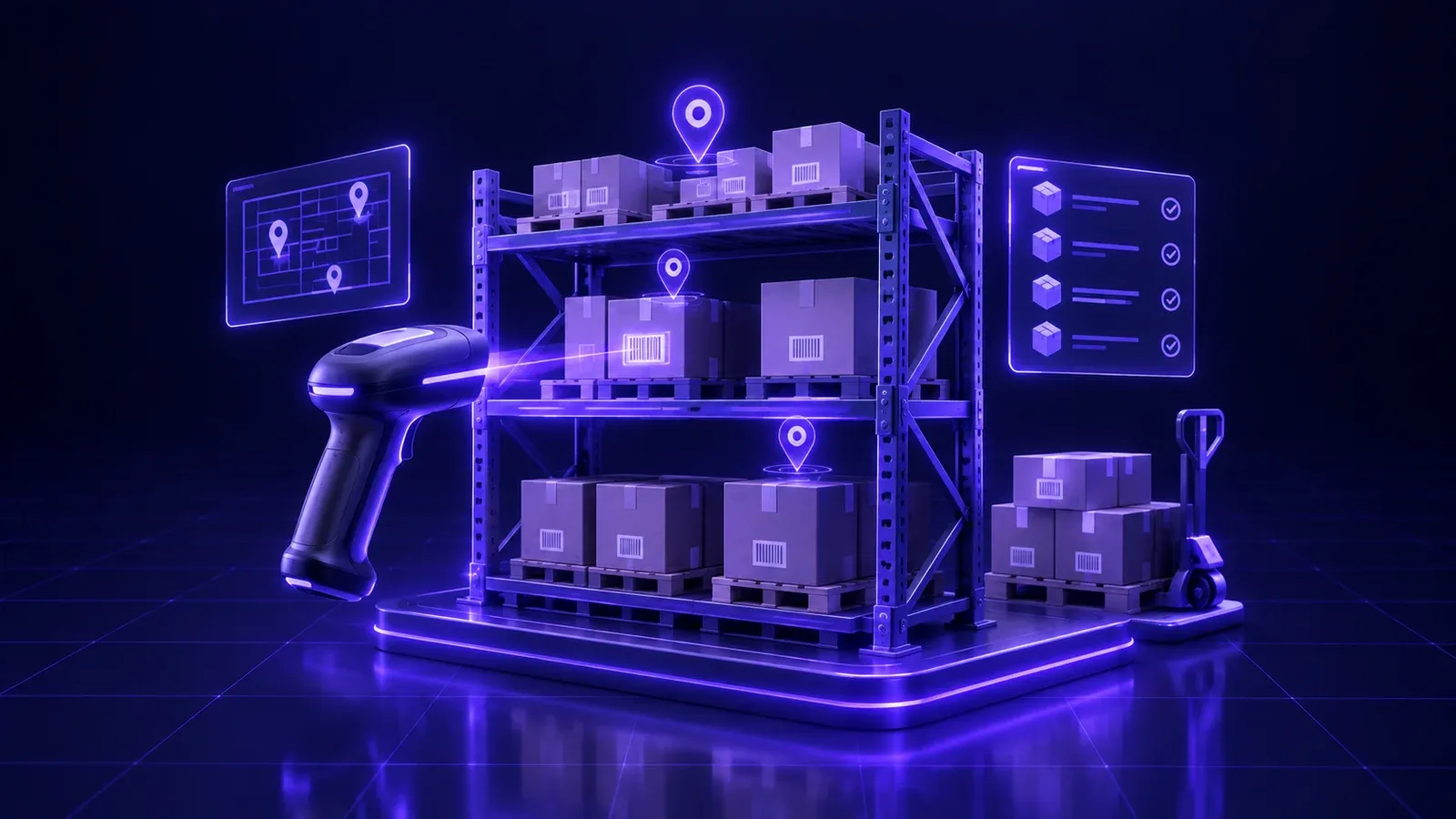
A sanitary-ware distributor in El Obour, a food wholesaler in Mansoura, an online store shipping from a rented warehouse in 6th of October: before they start looking for a warehouse management system in Egypt, most of them live the same scene. The storekeeper keeps every item location in his head. Issue slips are handwritten and typed into an Excel sheet at the end of the day, if someone remembers. A sales rep sells an item that is "on the system", and only at picking time does anyone discover it is not on the shelf. At year end the warehouse closes for three days for the stocktake, and the count comes back with variances nobody can explain: a missing carton here, an expired batch behind a rack there, and a transfer to the Alexandria branch that was never recorded.
The owner knows stock is his biggest asset, yet he has no single number he trusts. How much do we really have? Where is it? What moves and what has been sleeping on the racks for months? Who issued what, and to whom? The more the business grows, the more it depends on one or two people's memory.
This guide is written for owners and managers of Egyptian businesses that live on their warehouse: distributors, wholesalers, e-commerce sellers and companies that store goods for other clients. We cover the symptoms that say you have outgrown Excel and paper, what separates a real warehouse management system (WMS) from the "inventory module" in accounting software, the modules you actually need one by one, the devices involved, what the first ninety days look like, and a checklist to prepare before your first meeting with any software company. At Jad Digital we have been building custom business systems since 2019, and we will say clearly when ready-made inventory management software is the smarter choice.
One note before we start: this article is about storage and movement: receiving, putaway, picking, dispatch, transfers and counts. If your company manufactures, turning raw materials into finished goods through work orders and production lines, read our guide to a factory management system in Egypt alongside this one. A factory needs a production layer on top of the warehouse that this article does not cover.
Symptoms that your warehouse has outgrown Excel and paper
Nobody needs a stock control system because a competitor bought one. You need it when specific symptoms appear, and they usually appear together:
- The number on screen does not match the shelf. Sales sells an item that is not there, or turns down an order for an item that is actually sitting in a corner nobody knows about.
- Picking is slow and error-prone. A picker walks the entire warehouse to assemble one order, ships the wrong size, colour or quantity, and the order comes back as a return a few days later.
- Expiry happens on the shelf. In food, pharma, cosmetics and chemicals you discover expired stock at the count rather than before it, and the goods become a total loss.
- The annual stocktake is a disaster. The warehouse shuts for days and the variances are large and untraceable, because movements were never recorded when they happened.
- Transfers between warehouses disappear. Goods left the Cairo warehouse but never arrived on paper in Alexandria or Tanta, so one site shows a shortage and another a surplus.
- Nobody knows what is not moving. Serious capital sits in slow-moving items while the fast movers run out every week.
- Everything depends on one person. When the storekeeper is away, issuing stops, because the knowledge lives in his head rather than in a system.
WMS vs the inventory module in your accounting software
Most accounting programs include a screen called "Inventory", and many owners assume it is enough. The difference is fundamental. The inventory module in accounting software answers "how much of this item do I have, and what is it worth?" A warehouse management system answers "where exactly is it, who moved it, when, and which unit should leave first?"
A WMS sees the warehouse as a map: zones, aisles, racks and bins, and inside each bin a quantity from a specific batch with a specific expiry date. It runs the physical movement inside the building: where goods should be put away on arrival, which bin to pick from, in which order the picker should walk, and what gets counted today. We discuss the general logic of choosing software in ready-made accounting software vs a custom system. In warehousing the dividing line is clear: the bigger the space and the more items and daily orders, the less "one number" is enough.
What you need also depends on the kind of business you run:
- Distributors and wholesalers: many items in several units (piece, box, carton, pallet), daily orders from sales reps, distribution routes across governorates, and collection tied to delivery.
- E-commerce fulfilment: many small orders with one to three items each, short picking windows, a fixed daily handover to the courier, and a steady flow of returns.
- Storage for other clients (3PL): you hold other companies' stock, so the system must separate each client's inventory completely, give each one a portal to see their balance, and calculate storage and handling charges.
- Multi-warehouse companies: a main warehouse in Cairo or 10th of Ramadan, with branches in Alexandria, Borg El Arab, Mansoura or Tanta, and constant transfers between them.
Core modules of a warehouse management system
Item master, units of measure and barcodes
Everything starts with a clean item master. Each item has one internal SKU that never repeats, a clear description, a category, a primary supplier, and dimensions and weight where they matter for storage and shipping. A classic problem is one product registered under three names over the years, splitting its balance.
Units of measure are a sensitive point. You buy by the carton, store by the pallet, sell wholesale by the carton and retail by the piece. A good system stores the conversion factor between units, accepts movements in any unit and converts automatically. Each unit has its own barcode: the manufacturer's barcode on the piece, another on the carton, and an internal barcode you print for items that arrive without one.
Locations and bins: zones, aisles, racks and shelves
This is where a WMS really parts ways with basic inventory software. The warehouse is divided into zones (receiving, storage, picking, dispatch, returns, and quarantine for damaged goods), then aisles, racks, shelves and bins, each with a code and a barcode label. "Where is the item?" now has a precise answer: aisle four, rack three, bin two.
You can define what each bin may hold and its capacity, reserve the area closest to packing for fast movers, keep heavy goods on the lower levels and chilled goods in the cold room. This map is what later allows the system to direct the picker instead of relying on memory.
Receiving: GRN against purchase orders, inspection and putaway
When the supplier's truck arrives, receiving should not start from zero. The storekeeper opens the purchase order on a handheld and scans each item; the system compares received against ordered and flags overages and shortages immediately. Damaged or non-conforming goods go to quarantine, not to sellable stock.
After the goods received note (GRN) is approved comes the step many skip: putaway. The system suggests a suitable bin based on item type and available space, and the worker scans the bin label when placing the goods, so the item is recorded in its real location. Skip it and the balance is right but the location unknown.
Picking and packing: FIFO, FEFO, wave and batch picking
Picking is where time is either won or lost. The system decides which bin to pick from according to an agreed rule: FIFO, first in, first out, or FEFO, first expired, first out, which is the one that matters for food, pharma and cosmetics.
As order volume grows, smarter strategies appear. Batch picking lets a picker collect the items for ten orders in one walk, sorting them at the packing station, which suits e-commerce well. Wave picking groups orders heading for the same delivery route or the same courier into a wave that is picked before the loading cut-off. The system sequences bins along a logical path.
At packing, each item is scanned again to confirm the order is right, carton labels and airway bills are printed, and the parcel weight is captured where needed.
Dispatch and loading
Dispatch is more than "goods out". The system ties every shipment to its sales order or transfer order, knows which vehicle it was loaded on, with which driver, on which route, and prints the issue note and the loading list. At the warehouse gate, cartons can be scanned during loading to make sure what left is exactly what was supposed to leave.
If you run your own delivery fleet or work with several couriers, there is a whole layer beyond the gate: routes, delivery, cash collection and proof of delivery. We cover it in detail in our guide to a shipping and delivery company management system.
Stock transfers between warehouses and branches
A transfer between the Cairo and Alexandria warehouses, or from the main warehouse to retail points, should pass through three clear stages: a transfer request from the branch, an issue from the sending warehouse that puts goods "in transit", and a receipt at the destination that checks the quantity. Goods in transit are not available to sell in either warehouse, and any difference on arrival is recorded against the person responsible. This ends the classic "shortage here, surplus there".
Cycle counts vs the annual stocktake, variances and approvals
Shutting the warehouse for three days at year end is not the only way. A cycle count means counting a small part of the warehouse every day or every week without stopping work: high-value and fast-moving items are counted often, slow movers less often. The system generates the daily count list, and the counter scans the bin and enters the quantity without seeing the book balance, so it cannot influence him.
When a variance appears, the balance is not simply overwritten. The variance goes to the warehouse manager for review and a recount, then to approval depending on its size, and its cause is recorded: receiving error, picking error, damage or loss. The annual stocktake becomes a short procedure rather than a crisis.
Batches, serial numbers and expiry tracking
In most sectors knowing "how many" is not enough. Food, pharma and cosmetics need a batch or lot number and an expiry date for every quantity, so you can apply FEFO and recall a specific batch if you have to. Electronics and high-value spare parts need a serial number for every unit, so you know which customer bought it and when, and can handle warranty and returns accurately.
A good system captures the batch or serial at receiving and follows it through every movement afterwards, so at any moment you can ask: where did this batch go, and who did we sell this serial to?
Returns from customers and to suppliers
A return is not a sale in reverse. A customer return needs a reason and an inspection that decides what happens to the goods: sellable stock goes back to available inventory, damaged goods go to quarantine, or the item goes back to the supplier. In e-commerce, returns without a clear flow pile up for weeks instead of going back on sale.
A supplier return needs its own document linked to the original purchase invoice, so it shows correctly in the supplier's account and the credit is not lost.
Handheld scanners and a mobile app for pickers
The heart of a modern warehouse system is not the screen in the office but the device in the worker's hand. A handheld scanner, or a phone running a dedicated app, shows the worker his next task: receive this order, put away to this bin, pick from here, count this rack. Every step is confirmed by a barcode scan, so errors drop and everything is recorded the moment it happens, under the name of the person who did it.
The app must be simple, Arabic-first, with large buttons, because its user is a warehouse worker, not an accountant, and must work offline and sync later. We build this kind of app as part of our mobile app development service.
Alerts: reorder points, slow movers and near-expiry
A system that does not warn you lets you discover problems late. The three alerts that matter most: a reorder point per item per warehouse, so a purchase order or transfer is suggested before stock runs out; slow-moving items that have not moved for a period you define, so you can decide on a promotion or clearance before they become obsolete; and near-expiry stock with a lead time that suits your business, so you can sell the batch or return it to the supplier before it turns into a loss.
Reports and the owner's dashboard
The owner does not need fifty reports. He needs one screen he trusts: stock value per warehouse, fastest and slowest movers, inventory turnover, variances found in cycle counts and their causes, the share of orders picked on time, orders running late right now, and the performance of the receiving and picking teams.
Message us on WhatsApp or book a free consultation — we answer plainly, with no obligation.
Integrations: accounting, e-invoicing, stores and couriers
A warehouse system does not live alone. The integrations that matter:
- Accounting: every receipt, issue, return and count variance generates a journal entry or is passed to your accounting software, so the stock value in the warehouse matches the books.
- E-invoicing: invoices to businesses and receipts to consumers must be submitted to the Egyptian Tax Authority from the system that issues them. The mechanism: map items to their approved codes, sign the document, submit it and receive the response. We explain it in connecting your system to Egypt's ETA e-invoicing; confirm the current requirements on the official portal or with your tax advisor.
- Online stores and marketplaces: available stock is pushed to your store and to the marketplaces you sell on, and orders flow straight into the picking queue without re-typing. For the storefront side, see starting an online store in Egypt.
- Couriers: create the airway bill, print the label and track the status from inside the system, through whatever integration the courier provides.
- Sales and CRM: the rep sees the real available balance before promising anything to a customer.
Ready-made inventory software or a custom WMS?
When ready-made is enough
If you have one small warehouse, a moderate number of items, and no need for bins or batch tracking, a ready-made subscription inventory or stock-counting program will usually serve you well and be running within days. Many ready-made accounting packages include a reasonable inventory module for exactly this case. Do not pay for a custom system before you need one.
When custom pays off
When the warehouse itself becomes your competitive edge: several warehouses in different governorates, storage for other clients with a portal for each, high daily e-commerce order volume, strict batch and expiry control, complex wholesale units and pricing, or integrations that ready-made products do not support. Beyond that point, ready-made software becomes a chain of workarounds and side spreadsheets.
The middle path
The choice is not always all or nothing. You can keep your current accounting software and build a custom warehouse layer on top of it that handles bins, picking and handhelds, then posts entries back to accounting. We explain the logic of that decision in custom ERP vs off-the-shelf.
The hardware you actually need
Choose devices after the system, and test them in your real warehouse: what works in the office may fail in a cold room.
- Handheld scanners for workers, or rugged Android phones with a barcode reader, depending on volume and the warehouse environment.
- Barcode label printers for bin labels, unlabelled items and cartons.
- Durable bin labels on every rack position; they are the infrastructure everything else stands on.
- Wi-Fi coverage across the whole warehouse, including far corners and cold rooms, or an app that works offline.
- A scale at receiving or dispatch if you sell by weight or ship by weight.
What the first 90 days look like
Days 1 to 30: clean-up and the map
Clean up the item master, unify codes and units of measure, map the warehouse, code the bins and stick the labels, define roles and permissions, and trial receiving and putaway on a sample of items. Boring, but decisive.
Days 31 to 60: opening count and go-live
A full opening count by bin and batch, then running receiving, picking and dispatch on the system for real, with workers trained on the devices inside the warehouse rather than in a meeting room.
Days 61 to 90: cycle counts, reports and expansion
Turn on cycle counts and alerts, review the first variances and their causes, launch the owner's dashboard, then bring in the second warehouse or the next branch once the first is stable. Rolling out to every warehouse at once on day one is the fastest route to chaos.
Common mistakes when implementing a warehouse system
- Migrating the mess as it is. Loading duplicate items and conflicting codes into a new system just repeats the old problem faster.
- Skipping bin coding. A system without a location map is just an expensive inventory program.
- Keeping paper next to the system. If a paper issue slip is allowed "just this once", it becomes the rule within weeks.
- Training management instead of workers. The people who actually use the system are warehouse staff; if they are not convinced, they will work around it.
- Ignoring Wi-Fi inside the warehouse. Devices that drop out in half the building mean movements that never get recorded.
- Adjusting balances without approval. Giving every user the right to edit stock balances cancels the value of the whole system.
A checklist to bring to your first meeting with any software company
To make the first meeting short and get a realistic estimate, prepare:
Our guide to writing a software project brief helps you turn this list into a clear document.
- Your current item list with codes and units of measure, even if it is a messy Excel sheet.
- The number of warehouses and branches, their locations and approximate sizes, plus a photo or rough sketch of each.
- Samples of your current receiving, issue and transfer documents, paper or digital.
- Samples of sales invoices, purchase orders and customer returns.
- Whether you need batch, expiry or serial number tracking, and for which items.
- Average daily order volume, peak times, and courier handover times.
- Roles and users: storekeepers, pickers, sales reps, accountants and managers, and who approves what.
- The systems you must integrate with: accounting, online store, marketplaces and couriers.
- The three problems costing you the most today, in order.
- Any reports management asks for today and cannot get.
Questions to ask before you sign
- Does the system handle bins and locations inside the warehouse, or just one balance per warehouse?
- Does it support FEFO, batch and expiry tracking, and serial numbers?
- Does the worker app keep working when the network drops, and sync afterwards?
- How are count variances handled? Who approves them, and is the cause recorded?
- Can balances be changed without an audit trail? (The answer must be no.)
- Which integrations with accounting, stores and couriers actually work today?
- Who owns the code and the database at handover, and how do you export your data if you change vendor?
- What is the training and support plan after go-live, and who do you call during peak hours?
How Jad Digital builds warehouse management systems
Our ERP and custom business systems work for warehouses starts with a workshop in your warehouse, or over a video call, where we walk the path of the goods from the receiving gate to the dispatch gate, not with a feature list. We map the real movement as it happens, then agree on phased delivery: usually item master, bins, receiving and dispatch first, then picking and handhelds, then cycle counts, alerts and integrations.
We build Arabic and English interfaces, design the worker app for the people who will really use it, train the team inside the warehouse, and provide support after go-live. You own the code and the database. And if we believe ready-made inventory software will serve you better, we will say so in the first meeting. You can start by exploring our ERP and custom systems services, then book a free consultation where we review your warehouse with you.
For the general criteria of choosing a technology partner, see our pillar guide on choosing the best software company in Egypt.
Frequently Asked Questions
What is a warehouse management system?
+
It is software that manages every movement of goods inside a warehouse and between warehouses: receiving, putaway to bins, picking, packing, dispatch, transfers, counts and returns, with batch and expiry tracking. It replaces ledgers and spreadsheets with a single record that knows where every item is, who moved it and when.
What is the difference between inventory software and a WMS?
+
Inventory software, or the inventory module in an accounting package, knows how much of an item you have and what it is worth in each warehouse. A WMS knows where it is by bin and batch, directs workers during receiving and picking, applies rules such as FEFO, and runs cycle counts. The difference shows as space, items and order volume grow.
Do I need a different system if my company is a factory?
+
A factory needs everything in this article for raw materials and finished goods, plus a production layer on top: bills of materials, work orders, production lines and manufacturing cost. If you manufacture, read our factory management system guide; if your business is storage and distribution, this guide is the right one.
Can one system manage several warehouses in different governorates?
+
Yes, and it is one of the main reasons to move to a real system. Each warehouse has its own map and balances, transfers between them pass through an "in transit" stage until received, and management sees the whole picture on one dashboard.
Can a warehouse system work with mobile phones instead of professional scanners?
+
In many small and mid-sized warehouses, yes, with a mobile app that reads barcodes through the camera or a connected reader. As volume grows, dedicated handheld scanners become faster and more durable. The best approach is to test both inside your own warehouse before buying.
How does the system reduce expiry losses?
+
By capturing the batch and expiry date at receiving, applying FEFO at picking so the earliest-expiring stock leaves first, and sending an alert ahead of expiry with a lead time you choose, so you can sell or return to the supplier in time.
Does a warehouse system connect to Egypt's e-invoicing?
+
The system that issues invoices or receipts can be connected to the Egyptian Tax Authority platform so documents are submitted automatically after issue. Obligations differ by activity and registration, so confirm the current requirements on the official portal or with your tax advisor.
How long does it take to implement a warehouse management system?
+
Ready-made software for a small warehouse can be running within days to a few weeks. A custom system for several warehouses usually takes several weeks to a few months, delivered in phases. Either way, cleaning item data, coding bins and the opening count take real time that needs to be planned.