Nine in the morning at a dental center in Nasr City. The receptionist opens the appointment book and finds an orthodontic patient booked with the same doctor, at the same time, as a root canal patient, while the third chair sits empty until noon. The doctor asks for the panoramic X-ray the patient had taken last week, and a search begins across the front-desk computer and the receptionist's personal phone. The dental lab calls to say a crown is ready, and nobody remembers whether the fitting appointment was ever booked. At the end of the day the owner sits in front of an Excel sheet trying to work out how much each implant patient has paid in installments, and how much the oral surgeon who comes in two days a week is owed. The numbers never quite match the cash drawer.
This scene repeats in clinics in Heliopolis, Maadi, New Cairo, Smouha and Mansoura. The cause is not bad management: a dental clinic runs on long, multi-visit treatment cycles that no notebook, spreadsheet or WhatsApp group can carry. That is why dental clinic management software is not just general clinic software with a small add-on. If you want the big picture of clinic systems across all specialties, start with our guide to the clinic management system in Egypt. This guide goes deep on the dental clinic alone.
We cover the symptoms, what makes dentistry different, every module a dental practice management system needs, integrations, privacy, ready-made versus custom, and the first ninety days. At Jad Digital we have been building custom business systems since 2019, and we will tell you plainly when a ready-made product is the smarter choice.
Symptoms your dental clinic has outgrown the notebook and Excel
A dental clinic needs a system when specific symptoms appear, and they usually appear together:
- Treatment plans that die halfway. A patient starts a six-tooth plan, finishes three teeth and disappears, and nobody in the clinic knows there is pending treatment or calls them back.
- The patient record lives in five places. The paper card is in a drawer, the X-rays are on the imaging computer, the photos are on the doctor's phone and the payment agreement is in the receptionist's memory.
- Chair conflicts. Two bookings on one chair, a visiting specialist who arrives to find no chair ready, or the surgical room booked for a routine cleaning.
- Installments nobody follows up. An implant patient paid a deposit and part of the installments, and the balance only surfaces when the owner checks the ledger personally.
- Lab cases without tracking. An impression went out to the lab and nobody knows when it is due back, or a prosthesis came back and no fitting appointment was booked.
- The receptionist's WhatsApp is the database. Appointments, reminders and X-rays sent to patients all sit on a personal phone. When the receptionist leaves, the clinic's memory leaves with her.
What makes a dental clinic different from any other clinic
In an internal medicine or pediatric clinic, a visit is usually a single consultation that ends with a prescription, and the medical record is a list of visits. In a dental clinic the basic unit is not the visit. It is the tooth and the treatment plan. A patient may come in for the first time with pain in one molar and leave the examination with a plan that includes a root canal, a crown, an extraction, an implant and a cleaning, spread over months and across different doctors.
That forces any dental clinic system to handle four things:
This is why generic systems break quickly in dental practices. They know the patient, the appointment and the invoice, but they do not know the tooth, the phase or the lab.
- Long treatment cycles: implants can go through phases separated by weeks or months, and orthodontics means monthly follow-up visits that may last a long time.
- High-value treatment paid in installments: the financial agreement is part of the treatment plan itself, not a bill paid at checkout.
- Multi-doctor centers: a resident general dentist, an orthodontist who comes one day a week, an implant surgeon who comes when cases are scheduled, and a pediatric dentist on set days.
- A third party in treatment: the dental lab that makes crowns, bridges, dentures and clear aligners, with pick-up and delivery dates that directly shape the patient's schedule.
The core modules of dental clinic management software
These are the modules a serious dental clinic system is built on. You do not have to switch all of them on from day one, but the system's design has to be ready for them.
An interactive dental chart for every tooth and surface
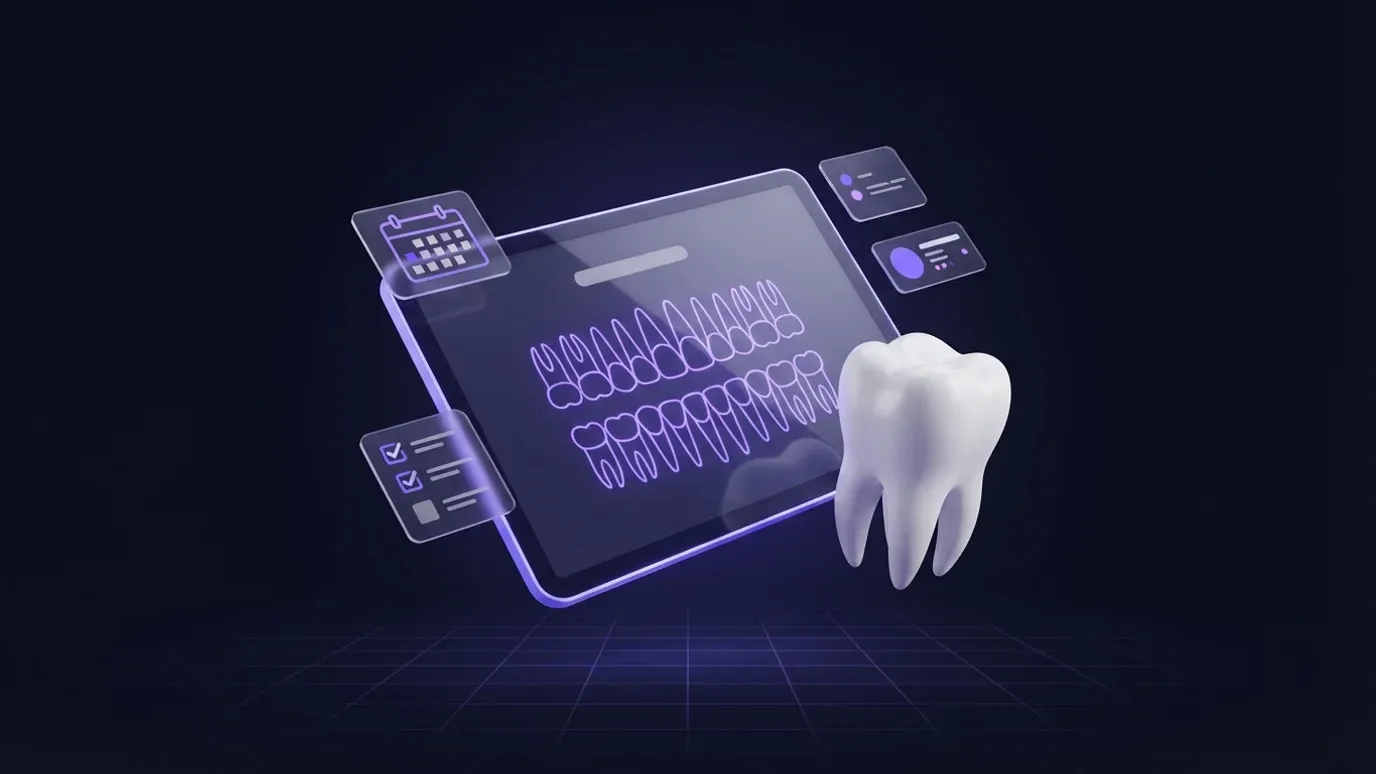
The heart of any dental software is the chart, or odontogram: a diagram of the patient's teeth, permanent or primary, where the dentist taps a tooth and then the relevant surface to record what they see, what is planned and what has been done. A filling on the occlusal surface, decay on a proximal surface, a missing tooth, an existing crown, a previous implant. The chart must distinguish three states by color or symbol: the condition found at examination, the planned treatment and the completed treatment.
The chart has to be fast between patients: every extra click means the dentist writes on paper and leaves data entry to the receptionist. It should also keep history, so you can see the mouth at the first visit and today.
Phased treatment plans and patient approval
The treatment plan comes out of the chart: a list of required procedures divided into phases, for example pain and infection control first, then fillings and root canals, then prosthetics and implants. Each procedure carries the tooth, the responsible doctor, the expected number of sessions and the procedure's value from the clinic's price list.
The value of this module shows at the moment the plan is presented. Instead of a handwritten sheet, the patient receives an organized plan, printed or sent, with phases, the total value and payment options, sometimes with two alternatives such as a crown or a removable prosthesis. The patient's approval of the whole plan, or of one phase, is then recorded with its date, so there is no later dispute about what was agreed. Plans that were presented but not accepted become their own follow-up list, which is often one of the biggest sources of deferred work in any dental center.
Multi-visit procedures: root canals, implants and orthodontics
A root canal may need more than one session. An implant goes through planning, surgery, a healing period and then restoration. Orthodontics is a series of follow-up and adjustment visits. The system should treat a procedure as one unit with sessions under it, so it knows this patient is in session two of three, or that the implant has entered its waiting phase and the next stage is expected after a period the doctor sets.
Orthodontics in particular needs the system to book a recurring monthly series of appointments, record briefly what was done at each visit, and link each visit to the installment due if that is the agreement. That way an orthodontic patient who skips two months does not slip away unnoticed.
Appointments by chair and by doctor
In a dental clinic an appointment belongs to the doctor and the chair together. So the schedule needs two views: by chair, where the manager sees the day across rooms, and by doctor, where each dentist sees their own day.
Appointment length depends on the procedure: an examination is not a cleaning, and neither is a root canal session or implant surgery. A good system suggests the duration from the procedure type, blocks overlapping bookings, and knows which days visiting specialists attend, so nobody books the orthodontist on a day they are not in. If you want to go deeper into online booking, no-shows and reminders, we wrote a separate guide on the clinic appointment booking system in Egypt.
X-rays, intraoral photos and imaging integration
Imaging informs treatment decisions at almost every visit: periapical films of a single tooth, panoramic images of the whole jaw, sometimes CBCT scans for implant planning, plus intraoral camera photos and before-and-after photos for cosmetic cases.
The system should attach images to the patient record, ideally linked to the tooth and session. Direct device integration depends on the device and its software. Some devices save images to a folder the system can read and import automatically, some support medical image exchange standards, and some only allow manual export. So ask any software company about your device by model, and ask for a real test before any promise.
Lab work orders and tracking: crowns, prosthetics and aligners
Every crown, bridge, denture and clear aligner set passes through a dental lab. The lab module creates a work order linked to the patient, the tooth and the procedure: type of work, material, shade, selected lab, date sent and expected return date. Then it tracks the status: sent, received by lab, back for try-in, back final, fitted.
Each morning the receptionist sees what is due back today and books fittings, and sees what is late and calls the lab. The owner sees each lab's account against what was collected from patients.
Payment plans, installments and deposits for long treatments
Major dental treatments are usually paid in stages: a deposit at the start, then payments tied to treatment phases or to monthly dates. The system should let you create a payment plan for each treatment plan, covering the deposit, number of installments, their dates and an optional link to phases, with a receipt for every payment and the payment method recorded: cash, card, bank transfer or mobile wallet.
Each patient's balance should be plain: plan value, paid, completed and remaining. Comparing paid against completed protects the clinic both ways: treatment ahead of payment, or payment ahead of treatment. The overdue installments report should be on the owner's desk every week.
Materials and consumables inventory per procedure
Implants, filling materials, endodontic files, anesthetics and consumables are real costs, and some have batches and expiry dates. Each procedure is linked to the materials it normally uses, so the system deducts them when it is recorded, with the option to adjust quantities.
For implants especially, recording the implant type, size and batch in the patient file matters for future reference. Over time you learn the real material cost of each procedure type, a number the owner needs when reviewing the price list.
Doctor commissions and revenue splits
In multi-doctor dental centers, every dentist has an arrangement: a share of revenue, a share after deducting lab and material costs, a fixed amount per procedure, or a salary with an incentive. A visiting specialist usually has a completely different arrangement from a resident dentist.
The system calculates each doctor's earnings from procedures actually performed, not from booked appointments, and shows the calculation line by line so the doctor can check it. Some decisions must be settled before development: is the share calculated on cash actually collected or on the value of the completed procedure? What happens when the procedure is done but the patient still owes installments? Settling these questions on paper first prevents end-of-month disputes.
Patient reminders: six-month recalls and the next session
Dentistry is built on return visits: the next session in a treatment plan, an orthodontic follow-up, a cleaning and check-up every six months or as the dentist advises. The system sends a reminder before each appointment by WhatsApp or SMS, sends a recall message to patients who have not been in for a while, and nudges patients with unfinished treatment plans.
Send from the clinic's official number through a business messaging service, not the receptionist's phone, with approved templates and the patient's consent. Conversations then belong to the clinic, linked to the patient record.
Reports the owner actually needs
The owner needs a small set to check every evening or week:
- Production per doctor and per chair: the value of completed procedures, not just the number of appointments.
- Chair utilization across days and hours, to see where time is being lost.
- Treatment plans presented but not accepted, and plans stalled halfway.
- Installments due and overdue per patient.
- Late lab work and each lab's account.
- Daily cash closing broken down by payment method.
- Doctor earnings for the period.
Message us on WhatsApp or book a free consultation — we answer plainly, with no obligation.
Integrations: accounting, e-receipts and insurance
Dental software does not live alone. Revenue, expenses, lab accounts and supplier accounts have to reach the books, either through an accounting module inside the same system, an integration with the accounting software your accountant already uses, or at minimum a structured export that removes re-entry.
If your clinic is required to issue electronic receipts or invoices, the mechanism is that the system generates the document with the required data, submits it to the Tax Authority platform through the approved integration, and stores the acceptance number or the rejection reason. We explain this mechanism in detail in our guide to connecting your system to Egypt's e-invoicing platform. Confirm the current requirements that apply to your activity with the official authority or your accountant.
As for insurance and corporate contracts, some dental centers work with companies, syndicates or insurers that have their own price lists and pre-approvals. The system then needs multiple price lists, splitting each invoice between the patient's share and the payer's share, and claims tracking. In larger centers that combine dentistry with other specialties, this becomes closer to running a full medical center, which we cover in our guide to the medical center management system in Egypt.
Patient data privacy and permissions
A dental patient's file contains health information, photos of the face and mouth, and financial data. Privacy has to be built into the system from the start, not bolted on later:
These are technical mechanisms. For the current legal requirements on personal and health data protection in Egypt, consult a specialized lawyer before launch, and do not rely on a general promise from any software company. To go deeper into the structure of the medical record itself and e-prescriptions, see our guide to the electronic medical record in Egypt.
- Role-based permissions: the receptionist sees appointments and accounts but not clinical notes, each dentist sees their own patients, and the accountant sees figures without the medical record.
- An audit log: who opened a patient's file, who changed a treatment plan, voided a receipt or granted a discount, and when.
- Automatic backups, at least daily, with real restore tests rather than just the existence of a backup.
- A known hosting location: where the data is stored, who has access to the servers, and how the data is handed over if you change vendors.
- Protection for patient photos, with no sending through personal phones.
Ready-made dental software or a custom system?
This is the question that decides budget and timeline. The honest answer is that not every dental center needs a custom system. We discussed the general decision logic in custom ERP vs off-the-shelf.
When ready-made software is enough
Here, starting with ready-made software is the smart move.
- A clinic with one or two dentists and one or two chairs.
- A stable list of procedures and prices, with payment mostly at the session.
- No visiting specialists with complex financial arrangements.
- The ready-made product has a good dental chart in Arabic, reminders and basic reports.
When a custom system pays off
- A multi-chair, multi-doctor center with specialists on specific days and different commission arrangements.
- Long payment plans tied to treatment phases, and a need to see paid against completed.
- More than one branch, an in-house lab, or corporate contracts with multiple price lists.
- Integration with imaging devices or accounting systems the ready-made product does not support.
- A wish for a patient app or a booking website under the center's own name, connected to the same system.
The middle path
Many centers start with ready-made software for booking and charting, then build custom modules around it for what is missing: an installments dashboard, doctor commission calculation, lab tracking, owner reports or a patient app. This is reasonable as long as the ready-made product allows data export or an API; otherwise the custom modules become isolated islands. When you scale, a complete system can be built through our ERP and business systems service.
Devices: what you actually need
Review these points:
- A computer or tablet at reception for booking, check-in and payment.
- A screen or tablet at each chair so the dentist can open the chart and X-rays without walking to another desk. A tablet on an arm near the chair is a common solution.
- Integration with the X-ray unit and intraoral camera, depending on what the device supports, as explained above.
- A receipt printer and a regular printer for treatment plans and reports.
- A stable internet connection with a backup, because a cloud system stops when the connection stops.
Rolling out in the first 90 days
1. Map the dental patient journey
From the first call or message, to examination and imaging, to presenting and approving the treatment plan, to sessions, lab work and fitting, to the recall visit. Map it on one page with the receptionist and the dentists, because every step corresponds to a part of the system.
2. Prepare the procedure list, prices and doctor agreements
A unified list of procedure names with the duration and price of each, and each doctor's agreement written down with its calculation method. These lists must be ready before go-live, not during it.
3. Migrate active patients and open treatment plans
Start with patients who have open plans, outstanding installments or ongoing orthodontics, then add the archive gradually.
4. Month one: appointments, charting and receipts
These touch every patient every day; once the team is comfortable, the rest comes easier.
5. Month two: lab, installments and doctor commissions
Once the core data is stable, switch on lab tracking, payment plans and earnings calculation, and compare the first commission run against the manual calculation.
6. Month three: reminders, reports and refinement
Activate recall reminders and unfinished-plan reminders, review the owner's reports weekly, and gather the team's feedback for an improvement round.
Common mistakes in dental clinic system projects
- Choosing generic software that does not know the tooth. It looks fine in the demo, then the dentists discover they are typing everything into a notes field.
- Ignoring the dentists' opinion. If the chart is slow, dentists will be back on paper within a week, however powerful the system is.
- Not settling commission rules before development. Every month-end turns into a debate about the calculation method.
- Leaving installments outside the system. The parallel ledger survives and a large part of the system's value is lost.
- No permissions policy. Everyone shares one login, so nobody knows who edited or voided what.
A checklist to prepare before your first meeting with any software company
The more you prepare, the closer the quote to reality. For more on requirements, see our guide on how to write a software project brief.
- Your list of procedures and services with current fees.
- Number of dentists, chairs and branches, and each specialist's days.
- Each doctor's financial agreement, written with its calculation method.
- A sample current patient file (with personal details removed) and a typical treatment plan.
- How you manage installments and deposits today.
- The labs you work with and how work is sent to them.
- The models of your X-ray unit and intraoral camera and their software.
- How bookings arrive today: phone, WhatsApp, Facebook page, website.
- Any insurance or corporate contracts with special price lists.
- The reports you want to see every evening.
Questions to ask before signing
- Does the chart support primary and mixed dentition and per-surface recording? Ask for a test on a real case from your clinic.
- How does the system handle a phased treatment plan with installments tied to it?
- Can my X-ray unit, by model, be integrated? What has actually been tested?
- How are doctor commissions calculated, and can each doctor have a different rule?
- Where is the data hosted, who owns it, and how do I get a complete copy if the contract ends?
- What permissions and audit log are available?
- How do training and post-launch support work, and what is the response time when work stops?
- In the case of a custom system, who owns the code?
How Jad Digital builds dental clinic systems
We start with a discovery session at your clinic or by video, sitting with the owner, the receptionist and at least one dentist, and we map the patient journey from first contact to the recall visit. Then we prioritize modules: what gets built in phase one, what waits, and what a ready-made product can cover if that is the better fit for you.
We deliver in short phases, with Arabic and English interfaces, a chart tested with your dentists before sign-off, role-based training for the receptionist and the doctors, and support after launch. If the center needs a patient-facing channel, we build a website or a mobile app connected to the same system.
In the dental sector, our work includes the Integrated Dental Center website: a trust-first site presenting services and the medical team, with a streamlined appointment request flow on mobile. It is a website, not a management system, but it reflects how a dental patient thinks before booking. For the full picture of clinic systems across specialties, go back to our clinic management system guide.
If you run a dental clinic or center and feel that the notebook and spreadsheet are no longer enough, book a free consultation with us. We will listen, then tell you honestly whether ready-made software is enough or a custom system will pay back more.
Frequently Asked Questions
What is dental clinic management software?
+
It is a system that brings a dental clinic's operations into one place: appointments by chair and doctor, the dental chart, treatment plans and sessions, imaging, lab orders, installments, materials, doctor commissions, reminders and reports. It replaces the notebook, the spreadsheet and the receptionist's phone with a single auditable record.
How is dental software different from general clinic software?
+
General clinic software knows the patient, the appointment and the invoice. Dental software knows the tooth and the surface, multi-phase treatment plans, sessions, the lab and installments tied to phases. Those are the details a dentist works with every day.
Is ready-made software enough for a small dental clinic?
+
Usually yes, if the clinic has one or two dentists, a simple procedure list and payment mostly at the session. A custom system makes more sense with multiple dentists and chairs, visiting specialists, long installment plans and branches.
Can the X-ray unit be integrated with the system?
+
It depends on the device and its software. Some devices let the system read images automatically from a folder or through medical image exchange standards, while others only allow manual export. Ask for a real test with your device before signing.
How does the system handle implant and orthodontic installments?
+
A payment plan is created and linked to the treatment plan: a deposit and dated installments, optionally tied to phases. The system shows paid against completed treatment, sends reminders for installments due and gives the owner an overdue report.
Does the system calculate doctor commissions automatically?
+
Yes, once each doctor's rule is defined: a share of revenue, a share after lab and material costs, or an amount per procedure. It calculates from procedures actually completed, with a breakdown the doctor can review.
Can patient reminders be sent on WhatsApp?
+
Yes. Ideally they are sent from the clinic's official number through a business messaging service with approved templates, not from a personal phone, and with respect for the patient's consent to receive messages.
How long does it take to roll out a system in a dental center?
+
It depends on size and modules. Usually appointments, charting and receipts come first, then lab, installments and commissions, then reminders and reports. We set the timeline after the free discovery session.