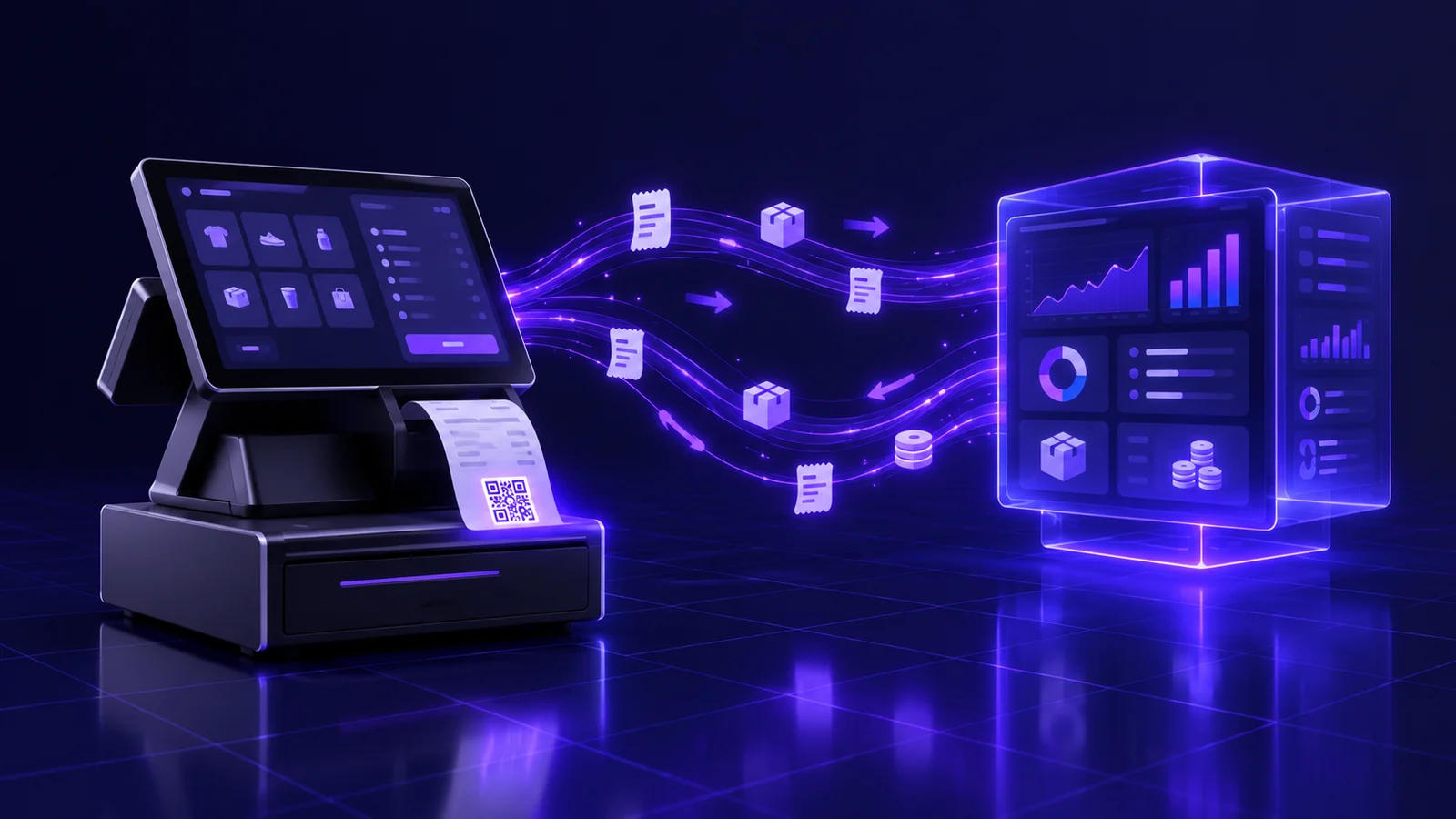
It is late at night in a retailer with three branches in Riyadh. The branch manager closes the till, prints the sales report, and starts the part nobody enjoys: re-keying figures into the accounting system, comparing system stock with what is actually on the shelf, and hunting for the reason card payments recorded at the till do not match what landed in the bank. The next morning purchasing discovers that an item showing "in stock" ran out two days ago, and the accountant finds an invoice booked twice. None of this is a POS problem or an ERP problem. It is an integration problem.
Most Saudi businesses that sell through points of sale — retailers, restaurants, cafés, pharmacies, service outlets — now run at least two systems: a POS in the branch and an ERP, or an accounting and inventory package, at head office. Buying both is the easy part. Getting them to speak the same language is where weeks and budgets disappear. When the integration is weak, the owner stops trusting any number he sees.
This guide is written for business owners and operations managers, not developers, and it answers one question: how do you integrate a POS with an ERP properly? We cover which data must flow between the two systems, which system is the source of truth for each kind of data, real-time versus batch sync, branches that go offline, what e-invoicing means for the design, the three integration approaches with their trade-offs, and a go-live test checklist. At Jad Digital we build business systems and custom integrations for clients in Saudi Arabia and Egypt, and we will say plainly when an off-the-shelf connector is enough and when you need something custom.
Why POS–ERP integration fails in so many businesses
The most common mistake is treating integration as a technical afterthought once both systems have been bought, rather than as a design decision from day one. Operations picks a POS that suits checkout speed in the branch, finance picks an ERP that suits the books, and then someone is asked to "connect them". The result is usually an integration that only pushes daily sales totals, or pushes invoices but not returns, or pushes everything with no rule for what happens when the two systems disagree.
Each system was built for a different job. A POS is built for speed and for working when the internet drops; an ERP is built for accuracy and control: journal entries, inventory costing, permissions. A good integration respects both. It never makes the cashier wait for a central server, and never lets the till change data that should be under head-office control.
If you are still choosing the systems themselves, start with our guide to choosing a ZATCA-compliant POS system and our guide to ERP systems for Saudi businesses, then come back here when you reach the integration question.
What data flows between the POS and the ERP?
Before any discussion of technology, write a list of every type of data that has to move, its direction and its timing.
From ERP to POS
- Item master data: names in Arabic and English, barcodes, units of sale (piece, pack, carton) and the conversion between them, categories, and the tax treatment of each item.
- Prices and price lists: the base selling price, different prices by branch or region, and wholesale prices where relevant.
- Promotions and discounts: seasonal offers, quantity breaks, bundles, and the validity window of each.
- Branches and warehouses: which warehouse feeds which branch, and which branch sells which items.
- Customers and credit accounts: customers with credit limits or special prices, especially in B2B selling.
- Users and permissions in some designs, including who may discount, void or process a return.
From POS to ERP
- Sales: every invoice with its lines, quantities, prices, discounts and tax — not just the daily total.
- Returns and exchanges: linked to the original invoice, with a return reason and the condition of the returned item (resaleable or damaged).
- Payments and tenders: cash, mada and cards, e-wallets, vouchers, customer balance, and split payments across several tenders.
- Branch inventory movements: receipts from the warehouse, inter-branch transfers, write-offs and stock counts.
- Shifts and cash-up: shift open and close, cash variances and deposits.
- Customers and loyalty: new customers registered in-store, points earned and redeemed.
Data that moves both ways
Some data has no single direction, and that is where the hardest design decisions live. A loyalty balance changes in the branch with every purchase, and at head office with every campaign or manual correction. Stock changes in the branch with every sale and in the warehouse with every receipt. Without a clear rule for this kind of data, you will end up with two different numbers and no way of knowing which one is right.
Which system is the source of truth for each type of data?
This is the single most important question in any integration project, and the answer should be written down and signed off by management before a line of code is written. The simple rule: every type of data has exactly one system that may create and edit it, and the other system only reads it.
- Items, prices and promotions: usually owned by the ERP. Branch staff should not be able to create items or change prices from the till, or you will end up with the same product under three names and different prices in different branches.
- Sales and returns: owned by the POS, because that is where the sale actually happens. The ERP receives them and turns them into accounting entries; it does not edit them.
- Stock on hand: owned by the ERP, but calculated from movements arriving from both the tills and the warehouses. The POS shows an approximate figure for selling; the authoritative figure lives in the ERP.
- Customers: needs a deliberate decision. Many businesses make the ERP or a CRM the master and let branches create a new customer with limited fields that are reviewed later. If a CRM is part of the picture, see our guide on what a CRM system is.
- Loyalty points: ideally one engine that the till queries in real time at redemption, not two separate balances in two systems.
Message us on WhatsApp or book a free consultation — we answer plainly, with no obligation.
Real-time, batch and offline sync
Not every type of data needs to move instantly, and insisting on real time for everything adds complexity and cost without real benefit.
When you need real-time or near-real-time sync
- Stock for fast-moving items if you also sell through an online store or app, so you never sell online something the branch has run out of.
- Loyalty redemptions and customer balances, because the same customer may use their balance in two branches on the same day.
- Urgent price changes, such as correcting a wrong price or blocking an item withdrawn from the market.
- Credit-limit checks for customers buying on account.
When batch sync is enough
The practical answer in most projects is hybrid: invoices go to a queue the moment they are issued and the ERP processes them in order, while item data refreshes on a schedule with an option to push urgent updates manually. What matters is that the delay is known and accepted by management.
- Posting sales journal entries, which may only need to happen hourly or at the end of each shift, depending on volume and how quickly management needs reports.
- Non-urgent item updates such as descriptions and categories.
- Shift reports and cash-up.
Offline branches: sync and reconciliation
In Riyadh, Jeddah and Dammam the network is stable most of the time, but any branch in a busy mall, a remote location or a food truck will lose connectivity at some point. A POS that stops selling when the internet drops is not acceptable, so the integration must be designed on the assumption that the branch works on its own and then syncs.
What you need in place:
- Secure local storage of transactions on the till or a branch server, with sequential numbering that never collides even when several tills run in the same branch.
- A send queue that retries automatically when the connection returns, without staff intervention.
- A unique key for every transaction so the ERP never records it twice if it is sent more than once. This small technical detail is behind most "duplicate invoice" cases.
- A monitoring screen at head office showing branches that have not synced for a while, and transactions that are stuck or rejected, with the reason.
- Clear conflict rules, for example an item whose price changed at head office while the branch was offline. Should the price at the moment of sale stand? Usually yes, because that is what the customer actually paid.
Daily reconciliation
Even with the best integration, you need regular reconciliation across three figures: what the POS recorded, what the ERP received, and what reached the bank from card and wallet payments. A good integration makes this a report reviewed in minutes; a weak one makes it hours of manual work every day.
E-invoicing: who issues the invoice when two systems touch it?
In Saudi Arabia, any POS–ERP integration design has to answer the e-invoicing question clearly. When two systems are both capable of creating invoices, you have to decide which one issues the simplified tax invoice to the walk-in customer, which one issues the standard tax invoice to business customers, and which one issues credit notes for returns.
The general mechanism we see in most sound designs:
We cover the ERP side in more depth in our guide to ZATCA e-invoicing and ERP. Because detailed requirements and active phases can change, always confirm the current requirements on ZATCA's official portal before signing off any design, rather than relying on a vendor's memory or an old article.
The same logic applies to a mobile app or online store: an extra sales channel whose invoice issuer the design must define.
- The simplified invoice for an in-store sale is issued by the POS at the moment of sale, with its required elements and QR code, because the customer needs it immediately and cannot wait for a central server.
- The ERP receives the invoice as issued and records it in the books, without generating a second invoice for the same transaction. Re-issuing is the fastest route to duplicate invoices with the authority.
- A return generates a credit note linked to the original invoice, and whichever system issues it must know the original invoice reference, even if the sale happened in another branch.
- Sequencing, counters and signing must be managed so they never clash when several devices and systems are involved. This needs deliberate design, not luck.
- The connection to the authority's platform may run from the POS directly, from a middleware server, or from the ERP, depending on the agreed design. What matters is one clear path per invoice type.
The three integration approaches: pros and cons
Native or off-the-shelf connector
Many POS and ERP products ship ready-made connectors to each other, or built-in integration when both come from the same vendor.
- Pros: faster go-live, lower upfront cost, maintenance handled by the vendor, and a track record with other businesses.
- Cons: it moves only what the vendor decided to move, it is often hard to adapt when your workflow differs from the norm, and it may break or change behaviour when either system updates.
- Fits: businesses with standard workflows, a limited number of branches, and no complicated extra sales channels.
Middleware
An integration platform or middleware server sits between the two systems, receiving data from each side, transforming it and routing it.
- Pros: flexible data mapping, a full log of every message and retry, and the ability to add other systems later — an online store or a delivery app — without rebuilding the integration.
- Cons: an extra component that needs hosting, monitoring and sometimes a subscription, plus the expertise to configure it properly.
- Fits: multi-channel, multi-branch businesses, or those planning to replace one of the systems later without losing the whole integration.
Custom API integration
An integration built specifically for your business on top of both systems' APIs.
If connecting two packaged systems needs more customisation than feels reasonable, the real question may be the one we discuss in custom ERP vs off-the-shelf.
- Pros: it matches your workflow exactly, handles your special cases such as weighed items, recipes or bundles, and you own it.
- Cons: longer development, serious testing, and a team responsible for maintaining it whenever either system updates.
- Fits: businesses with non-standard operations, a custom ERP, or a failed experience with an off-the-shelf connector.
Examples across sectors
Multi-branch retail
The main challenge is inventory: thousands of items, inter-branch transfers, and several units of sale for the same product. A successful integration records a branch transfer as one movement that appears in both branches, and sends stock-count variances to the ERP as approved stock adjustments rather than silent edits to the balance.
Restaurants and cafés
The receipt sells a meal, but inventory moves as ingredients. The integration therefore needs recipes: each menu item linked to its ingredients and quantities, so every sale deducts ingredients from stock in the ERP. On top of that come delivery apps, a separate sales channel with its own commissions and settlements, and orders modified or cancelled after they have reached the kitchen.
Pharmacies
Pharmacies add dimensions ordinary retail does not have: batch numbers and expiry dates, selling by strip or by box, and insurance claims where the customer pays one share and the payer another. The integration must send the batch sold, not just the item, so each batch's balance stays correct and the system can flag stock that is close to expiry.
Freelancers and small shops
A small business with one outlet, or an independent seller, rarely needs middleware or a custom integration. An all-in-one product from a single vendor, or a POS with a ready-made connector to a cloud accounting package, is enough to start. The key is choosing systems that let you export your data from the beginning, so you are not rebuilding everything from scratch when you grow.
Signs your current integration is broken
If you recognise two or more of these, the problem is usually the integration design, not your staff:
- Recurring stock mismatches between the system and the shelf that damage or theft cannot explain.
- Duplicate invoices in the ERP or on the e-invoicing platform.
- End-of-day reconciliation that takes hours, done by one person nobody else understands.
- Returns missing from the accounts, or showing up as negative sales not linked to their original invoice.
- Different prices across branches for an item that is supposed to have one price.
- Management not trusting daily sales reports and waiting for month end to see "the real numbers".
- Repeated manual entry of data that already exists in one of the systems.
- Nobody knows what happens when a transaction fails to send, or where stuck transactions can be seen.
Go-live test checklist
Do not switch the integration on across every branch at once. Start with a pilot branch, test the following scenarios one by one, and document the result:
Once the pilot runs cleanly, roll out gradually, with a rollback plan and an owner who checks the error screen daily.
- A normal sale with several items and mixed tenders.
- A full return and a partial return, and a return in a branch other than the one that made the sale.
- A sale with a discount, a promotion and a bundle on the same receipt.
- Internet loss mid-sale and then recovery, confirming that nothing is duplicated.
- A price change in the ERP, confirming it reaches the branch within the agreed time.
- A stock transfer between two branches and a partial stock count.
- A shift close and cash-up with a cash variance.
- Issuing an e-invoice and a credit note, and checking their sequencing.
- A loyalty customer redeeming points in two branches one after the other.
- Comparing the day's sales report in the POS, the ERP and the bank statement.
Common mistakes to avoid
- Sending totals instead of detail: pushing only the daily sales total makes item and inventory analysis impossible.
- Letting branches create items without control, so duplicate items multiply.
- Ignoring returns and exchanges in the first design and patching them in later.
- No unique key per transaction, the number one cause of duplicates.
- An integration that fails silently with no alert, so you discover the problem days later.
- Issuing the e-invoice from two systems for the same transaction.
- Launching every branch on the same day with no pilot.
- No internal owner responsible for the integration and for talking to the vendors.
Questions to ask your vendor or integration partner
These questions extend the general criteria for choosing any technology partner, which we set out in our guide to choosing a software company in Saudi Arabia.
- Exactly what data does the integration move, in which direction and on what timing? Ask for it in writing.
- Which system is the source of truth for each type of data in your design?
- What happens when a branch goes offline, and how do you prevent duplicate transactions?
- Where can I see failed or stuck transactions, and who gets alerted?
- Which system issues the e-invoice for each type of transaction, and how are returns handled?
- What happens to the integration when the POS or ERP vendor releases an update?
- Do we own the documentation, code and integration settings when the contract ends?
- What support level applies after go-live, and how fast do you respond to faults that stop sales?
How we approach integration projects at Jad Digital
We start integration projects with a workshop that maps the data: every data type, its owner, its direction, its timing, and what happens when it fails. Then we recommend the right approach — which may well be an off-the-shelf connector if it covers your needs, or middleware, or a custom integration delivered as part of our ERP and custom business systems service. We hand over the integration with a monitoring screen, written documentation and a test checklist executed on a pilot branch. You can see how we work with clients in the Kingdom on our Saudi Arabia page.
Frequently Asked Questions
What does POS–ERP integration mean?
+
It is the link that lets the till system in your branches and the ERP at head office exchange data automatically: items and prices flow from the ERP to the branches, and sales, returns, tenders and stock movements flow from the branches to the ERP, so every sale is reflected in inventory and accounting without manual entry.
Do I need real-time sync between the till, accounting and inventory?
+
Not for everything. Stock for fast-moving items when you also sell online, loyalty points and credit limits need real-time or near-real-time updates. Accounting entries and shift reports are fine with periodic sync. What matters is that the delay is known and accepted.
What happens if a branch loses its internet connection?
+
In a sound design the POS keeps selling, stores transactions locally with non-colliding numbering, and sends them automatically when the connection returns. A unique key per transaction stops the ERP recording anything twice, and a head-office screen shows which branches are behind on sync.
Which system should issue the e-invoice: the POS or the ERP?
+
In most designs the simplified invoice is issued by the POS at the moment of sale, and the ERP receives and records it without re-issuing. The key is one clear path per invoice type — and you should confirm the current requirements on ZATCA's official portal.
Is an off-the-shelf connector between my POS and ERP enough?
+
Usually, for businesses with standard workflows and a limited number of branches. Multiple sales channels, recipes or batch tracking, a custom ERP, or a connector that keeps failing are all reasons to move to middleware or a custom integration.
How do I know my current integration has a problem?
+
Recurring stock mismatches, duplicate invoices, a daily reconciliation that takes hours, returns that never reach the accounts, and management that does not trust daily reports. Two of those together usually point to the integration design itself.
How long does a POS–ERP integration take?
+
It depends on the approach and on how many data types and branches are involved. An off-the-shelf connector may run within days plus time for configuration and testing, while middleware or a custom integration usually takes several weeks, including a pilot branch before rollout.
Can a mobile app or online store be integrated the same way?
+
Yes, and ideally as part of the same design. An app or online store is an extra sales channel that needs stock and prices from the same source, and the design must state clearly which system issues its invoices and how they reach the ERP.